Course Navigation

It's Not JUST About the Destination

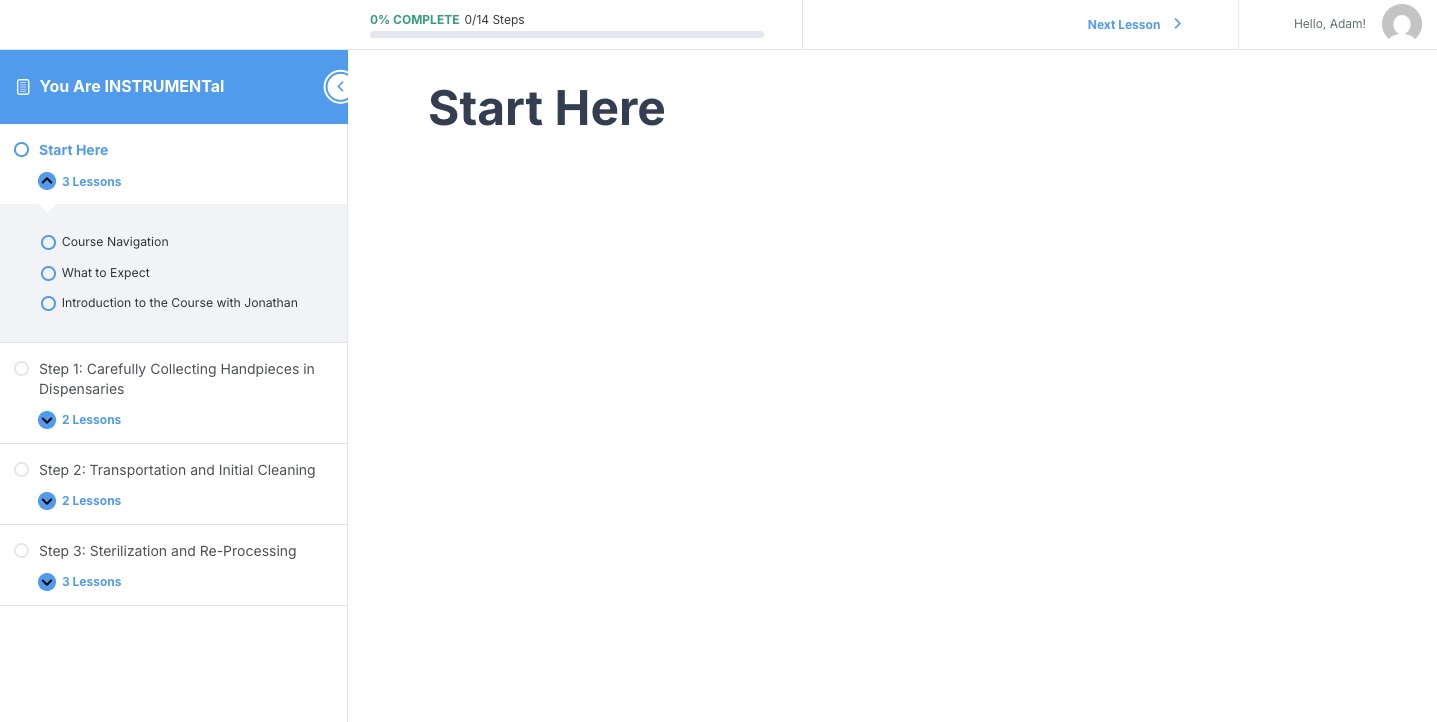
Remember, getting there is only half the fun. To learn how to navigate the course (and to better enjoy the journey) hover your cursor over the boxes below to learn more. User-experience is a big part of the learning journey, so we want to make sure you enjoy every part of it!

Left Side Menu


  • The "Left Side Menu" can be minimized by pressing the "<" button on the top.
  • You can "Expand" each module to see specific lessons (to find specific content).
  • Finally, you can click on each lesson from this menu if you'd like to skip around or review a specific concept.

Next Lesson


  • If you'd like to move sequentially through the course, you'll love this button!
    • If you are at the end of a module (which is a large unit with multiple lessons) then it will take you to the next module.
    • If you're at the end of a lesson in the middle of a module, you'll go to the next lesson.
  • You can also skip around using the Left Side Menu as well!

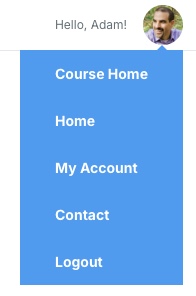
By clicking on your name, you can

  • Go back to the Course Home page
  • Go back to the Bien-Air Academy Home Page
  • Visit "My Account" page
  • Visit the "Contact" page to ask a question
  • Or Logout.

  • When you click on the "Take Notes" button, you'll have the opportunity to type out notes as you're engaging in each lesson.
  • You can easily save and/or download these notes. You can can also copy and paste them into another document if you prefer.