
All About The iOptimaINT
Â
Welcome !
Below are multiple, short, and interactive resources that highlight the full functionality of the OptimaINT. You can use the table of contents below to jump to a specific item, or you can scroll through. If you run into any issues, please email: [email protected]
• iOptima Overview • How to Use • Other Helpful Resources •
Overview Video
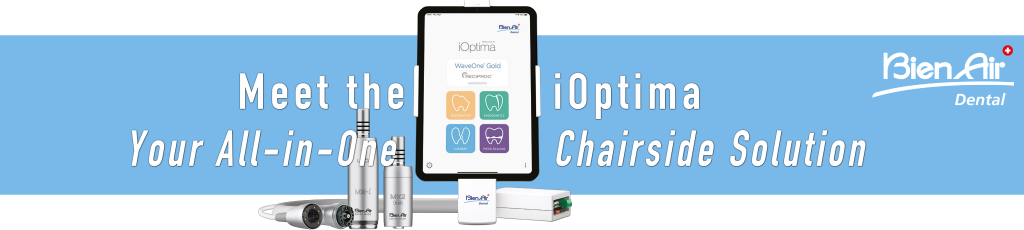
Meet the iOptimaINT
In this short video, you’ll learn about the unique functionality of the OptimaINT. John Flucke highlights some of the key reasons why the iOptimaINT is such a powerful tool in today’s shrinking operatory.
John Flucke also created a course that highlights the key advantages of electric systems. If you’re currently using air-driven instruments, we highly encourage you to engage in his course.
How to Use - Video
Below you’ll find a short video showcasing all of the important information for first-time use of the iOptima.
Other Helpful Resources
Speed Control At Your Finger Tips
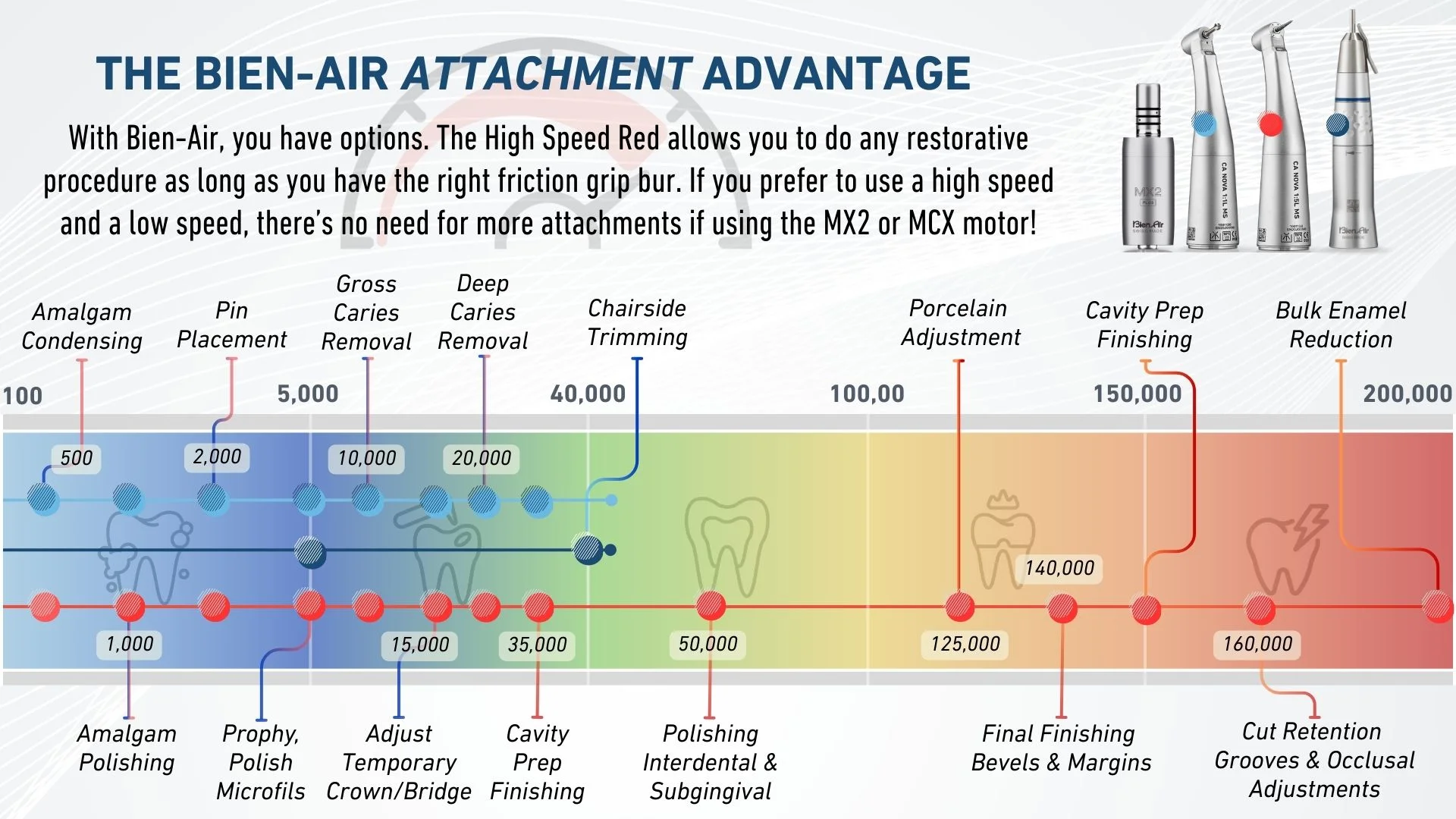
Electric handpieces have multiple benefits, including but not limited to precise speed control and consistent torque at any speed. This means you can do more procedures with less attachments in less time. Below is an interactive image that provides speed suggestions for restorative procedures using common attachments from Bien-Air. Hover over the icons below learn more about our motor, attachments, and speed settings. To download this image, click here.
• The MX2 PLUS motor weighs in at only 76 grams.
• Has 3.5 NcM of consistent torque at any speed.
• Speed range of 100 - 40,000 RPMs
• The Low Speed Blue has a speed range of 100-40,000 RPMs with constant torque.
• Uses a latch grip bur.
• Works great for rotary Endo and all low speed procedures.
• The High Speed Red has a speed range of 500-200,000 RPMs with constant torque.
• Uses a friction grip bur
• The NOVA (pictured) has the smallest head size in it's class not requiring specialty burs.
• The PM EXT 1:1 has a speed range of 100-40,000 RPMs.
• Uses a straight type bur and can be used with a prophy attachment.
Almagam Condensing
- 500 RPM

s @ 100% Torque
NOTE: You can only run your attachments at this speed using the Optima INT and iOptima INT.
Almagam Polishing
- 1,000 RPM
s @ 100% Torque
NOTE: You can only run your attachments at this speed using the Optima INT and iOptima INT.
Pin Placement
- 2,000 RPM
s @ 100% Torque
NOTE: You can only run your attachments at this speed using the Optima INT and iOptima INT.
Prophy & Polish Gold and/or Microfils
- 5,000 RPM
s @ 100% Torque
Pin Hole Drilling & Gross Caries Removal
- 10,000 RPM
s @ 100% Torque
Adjust Temp Crown & Bridge
- 15,000 RPM
s @ 100% Torque
Deep Caries Removal
- 20,000 RPM
s @ 100% Torque
General Cavity Prep Finishing
- 35,000 RPM
s @ 100% Torque
Chairside Trimming & Denture Adjustment
- 40,000 RPM
s @ 100% Torque
Polishing Interdental + Subgingival & Eliminating Almagum Overhang
- 50,000 RPM

s @ 100% Torque
Porcelain Adjustment
- 125,000 RPM
s @ 100% Torque
Final Crown & Bridge Prep Finishing and/or Bevels + MarginsÂ
- 140,000 RPM
s @ 100% Torque
Cavity Prep Finishing Bevels + MarginÂ
- 150,000 RPM
s @ 100% Torque
Cut Retention Grooves and/or Occlusal Adjustments
- 160,000 RPM
s @ 100% Torque
Dental Reduction and/or Tooth Sectioning and/or Bulk Enamel Reduction
- 200,000 RPM
s @ 100% Torque
You must log in and have started this course to submit a review.
