Dental Instructors

If you're an instructor at a dental school, you've come to the right place. Here you can access helpful resources and short courses to learn more about Bien-Air and support your students who are using our products for the first time. Scroll down to learn more about what's been prepared just for you!

Your Learning Journey Starts Here

We’ve organized specific content that is relevant for you in four distinct tabs below. The Helpful Resources tab provides you answers to common questions about using Bien-Air instruments. The next tab (Videos) provides short, instructional videos designed to help you understand how to use Bien-Air, electric instruments. If you’d like to take a deeper dive into the world of Bien-Air and electric handpieces, click the Courses tab. In order to take our courses, you’ll have to register first. Click the Get Registered tab to get access to our courses.

Setting the "Right" Speed on Your Attachments
Speed Control At Your Finger Tips

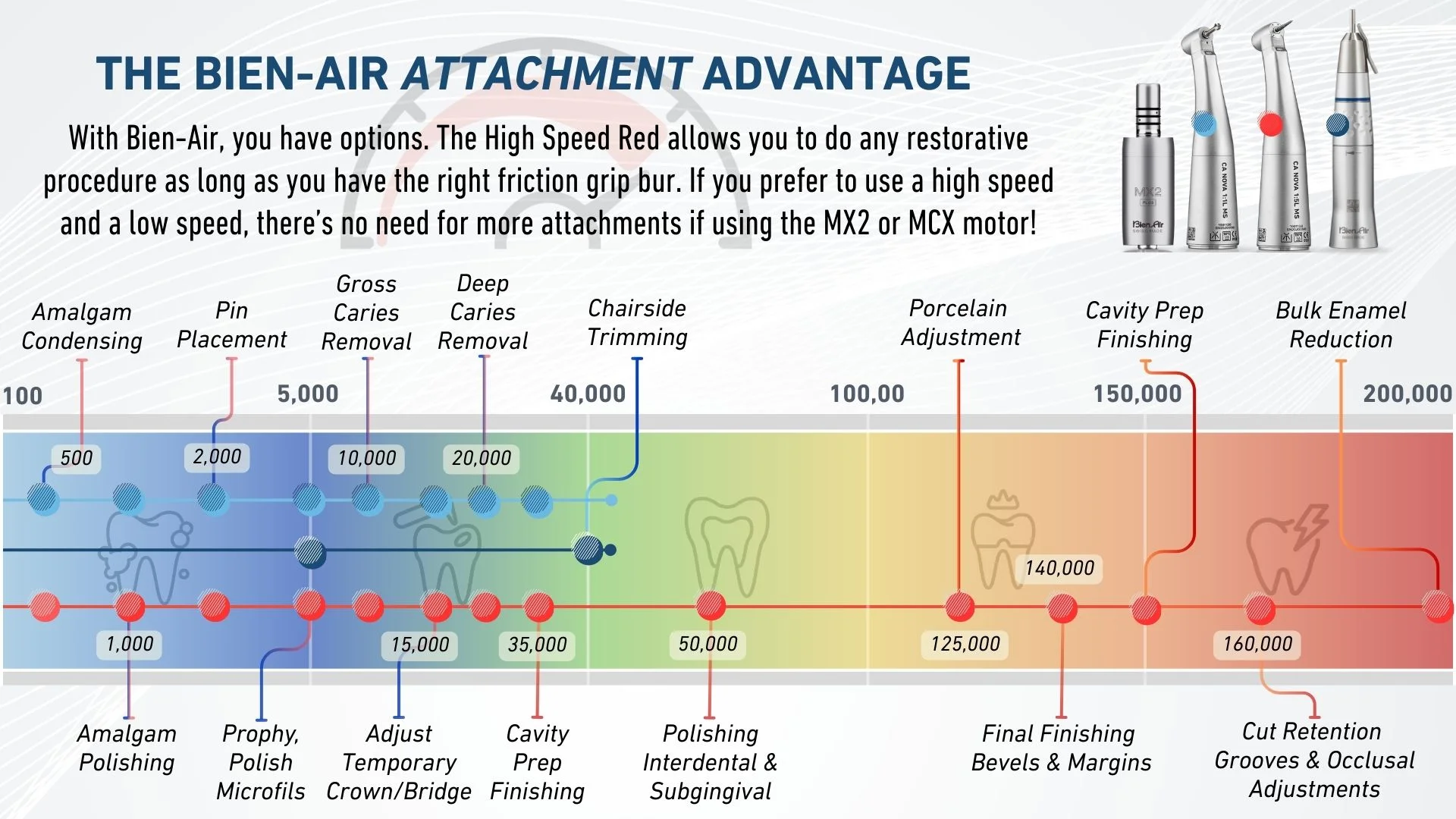
Electric handpieces have multiple benefits, including but not limited to precise speed control and consistent torque at any speed. This means you can do more procedures with less attachments in less time. Below is an interactive image that provides speed suggestions for restorative procedures using common attachments from Bien-Air. Hover over the icons below learn more about our motor, attachments, and speed settings. To download this image, click here.

• The MX2 PLUS motor weighs in at only 76 grams.

• Has 3.5 NcM of consistent torque at any speed.

• Speed range of 100 - 40,000 RPMs

• The Low Speed Blue has a speed range of 100-40,000 RPMs with constant torque.

• Uses a latch grip bur.

• Works great for rotary Endo and all low speed procedures.

• The High Speed Red has a speed range of 500-200,000 RPMs with constant torque.

• Uses a friction grip bur

• The NOVA (pictured) has the smallest head size in it's class not requiring specialty burs.

• The PM EXT 1:1 has a speed range of 100-40,000 RPMs.

• Uses a straight type bur and can be used with a prophy attachment.

Almagam Condensing


  • 500 RPMs @ 100% Torque

NOTE: You can only run your attachments at this speed using the Optima INT and iOptima INT.

Almagam Polishing


  • 1,000 RPMs @ 100% Torque

NOTE: You can only run your attachments at this speed using the Optima INT and iOptima INT.

Pin Placement


  • 2,000 RPMs @ 100% Torque

NOTE: You can only run your attachments at this speed using the Optima INT and iOptima INT.

Prophy & Polish Gold and/or Microfils


  • 5,000 RPMs @ 100% Torque

Pin Hole Drilling & Gross Caries Removal


  • 10,000 RPMs @ 100% Torque

Adjust Temp Crown & Bridge


  • 15,000 RPMs @ 100% Torque

Deep Caries Removal


  • 20,000 RPMs @ 100% Torque

General Cavity Prep Finishing


  • 35,000 RPMs @ 100% Torque

Chairside Trimming & Denture Adjustment


  • 40,000 RPMs @ 100% Torque

Polishing Interdental + Subgingival & Eliminating Almagum Overhang


  • 50,000 RPMs @ 100% Torque

Porcelain Adjustment


  • 125,000 RPMs @ 100% Torque

Final Crown & Bridge Prep Finishing and/or Bevels + Margins 


  • 140,000 RPMs @ 100% Torque

Cavity Prep Finishing Bevels + Margin 


  • 150,000 RPMs @ 100% Torque

Cut Retention Grooves and/or Occlusal Adjustments


  • 160,000 RPMs @ 100% Torque

Dental Reduction and/or Tooth Sectioning and/or Bulk Enamel Reduction


  • 200,000 RPMs @ 100% Torque
Helping Students with the High Speed Red
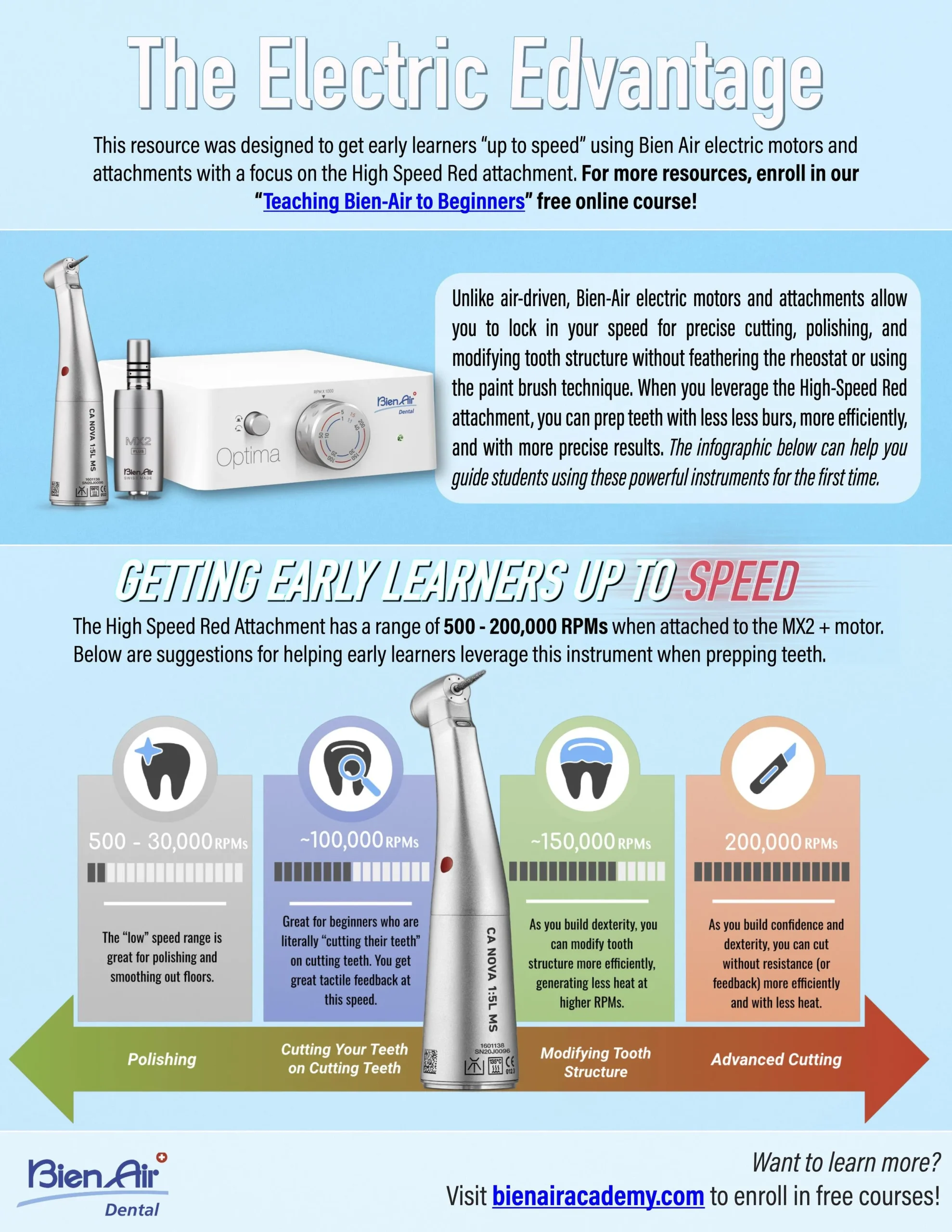
 

If you’d like to download the PDF below, click here.

Getting Started with Bien-Air Products

The interactive content below is taken from our “Bien-Air Advantage” course. This lesson helps you get setup with Bien-Air, if you’re using it for the first time or just would like to learn more about our systems. If you’d like to take this entire course, please register as a dental professional.

Cutting with Electric vs. Air-Driven Handpieces
This interactive lesson is part of “John Flucke Presents: The Electric Advantage” course. If you’d like you view this entire course, please register for a free account via Bien-Air Academy and enroll in this course.

It's Not Really a Technique...

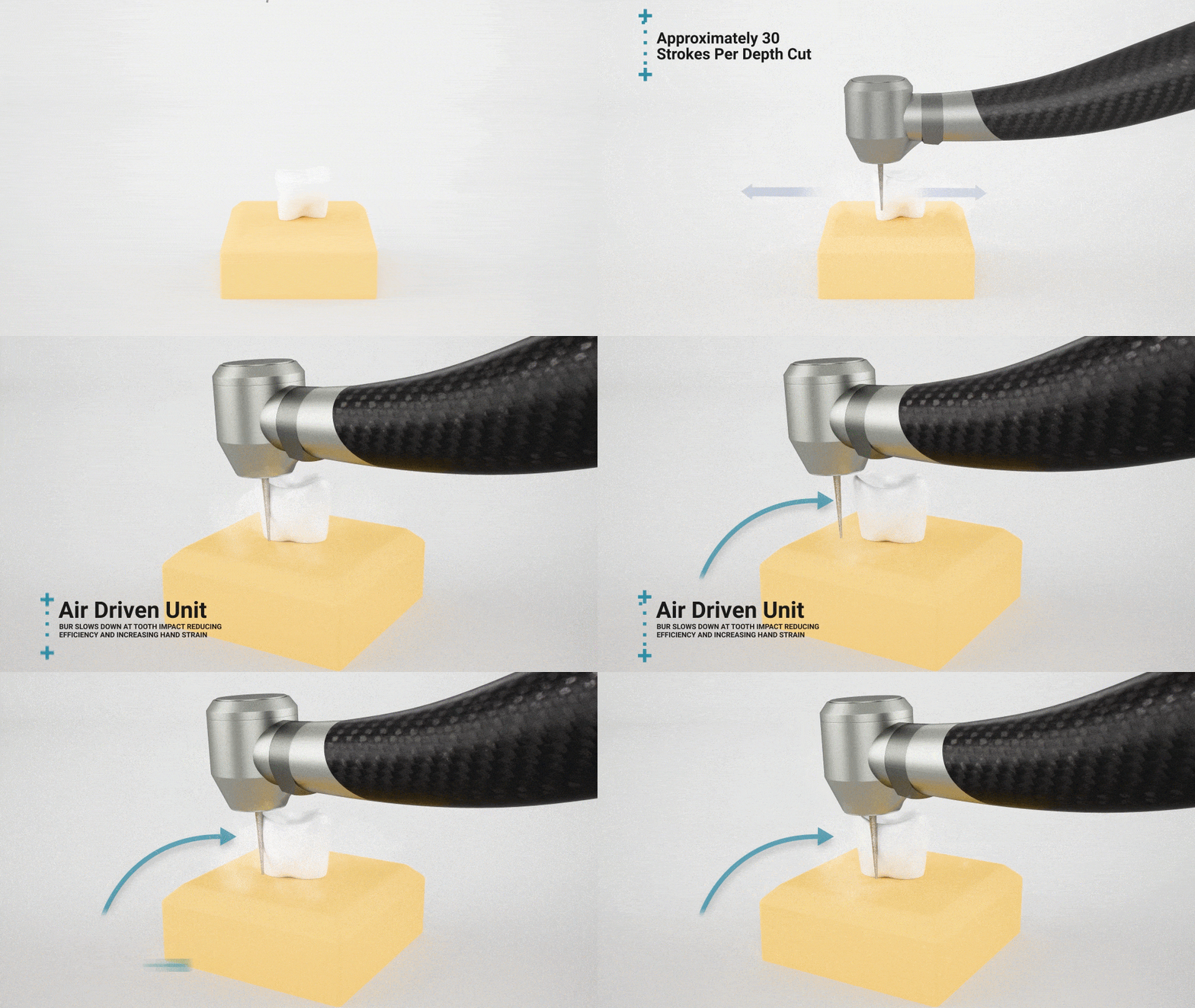
In the video below, Dr. John Flucke explains how the technique many identify as the “paint brush” technique, is really more of a limitation, based on the design of air-driven instruments.

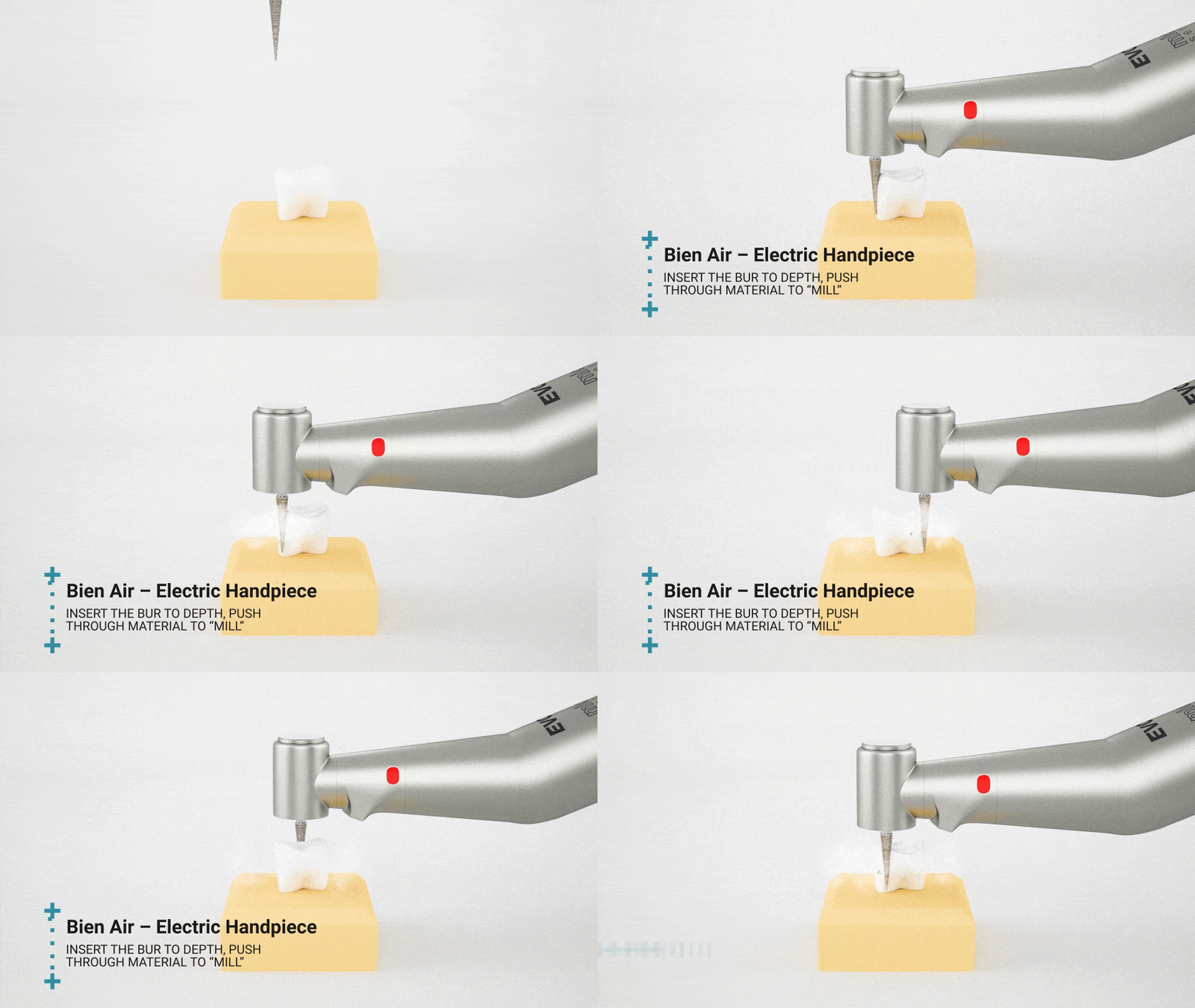
Milling vs. Paint Brush VISUALIZED

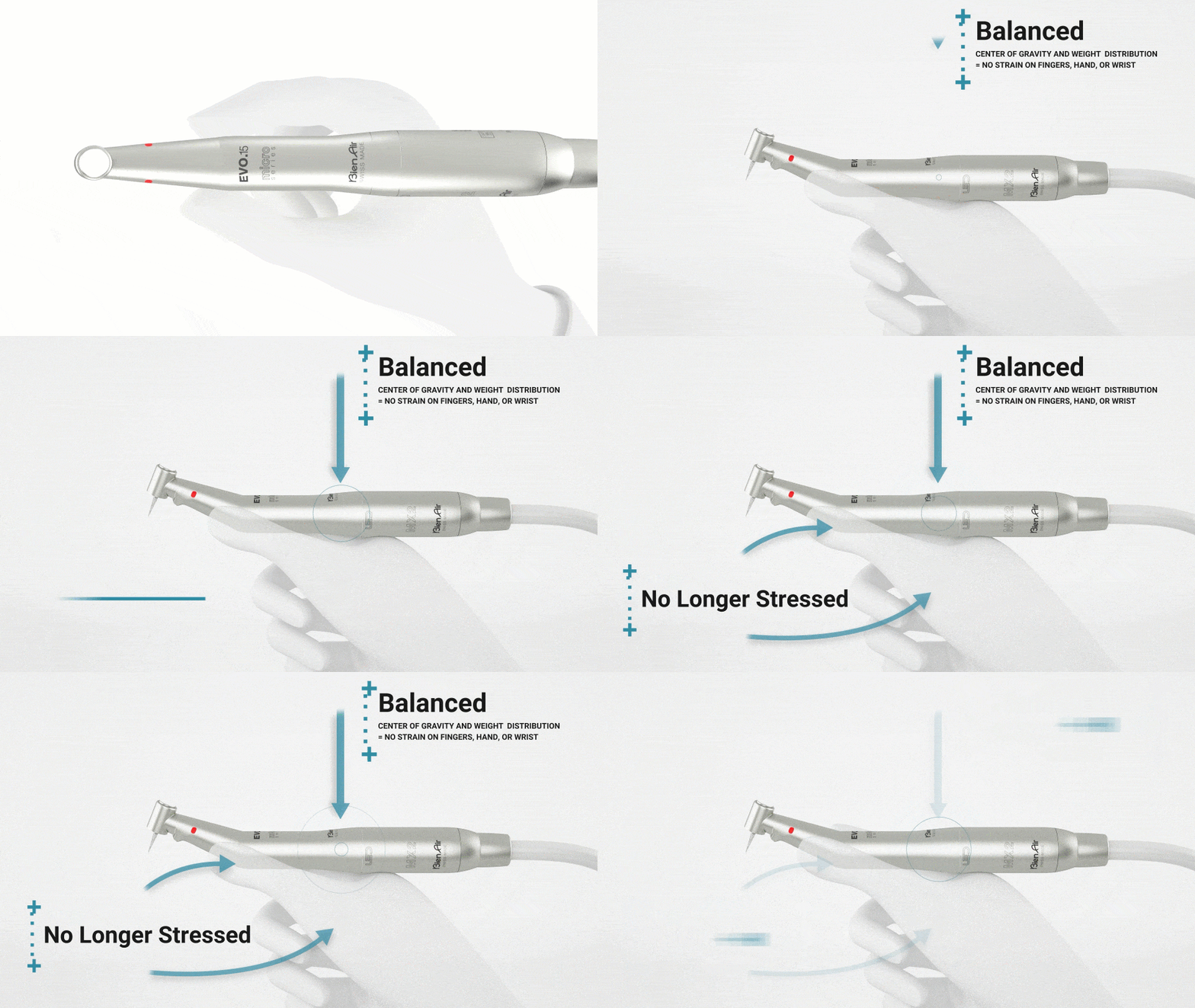
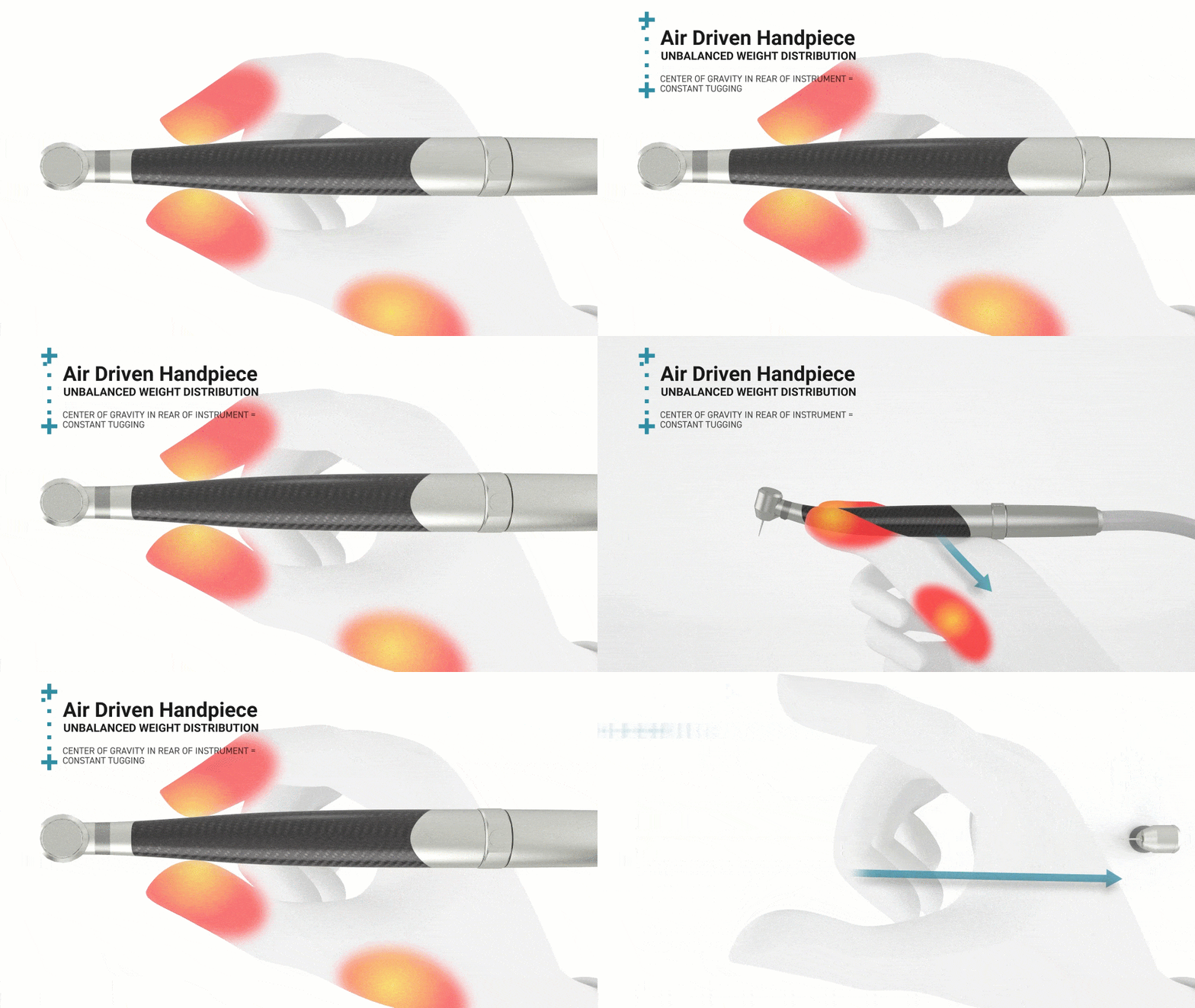
In the gifs below, you’ll see how the paint brush technique (or limitation) compared to milling, is much different. There are many benefits to this, listed below.

OVERALL BENEFITS

More Efficient

As we saw in the previous lesson, you get significantly faster cut when you use electric (even with a dull bur).

Less Fatigue

Bien-Air instruments are balanced to relieve the strain while holding a handpiece reducing fatigue.

Better Results

The ability to control your speed ultimately allows you more control for every procedure which leads to better outcomes.

This is the power of

We’ve slowed down the video above to showcase the power of milling. As you notice the bur keeps spinning and everything in it’s way literally disappears.

Learn More about Bien-Air Products

MX 2 Plus Motor

MX2 + Motor

Don't let size fool you, this motor can go up to 40,000 RPMs and it only weighs 76 grams (1/16 of a lb). Of course it also has the highest torque in the industry.
Learn More

Nova High Speed Red

CA NOVA 1:5L

Uses a friction grip bur and is fitted with anti-heat ceramic push button. The Nova has the smallest head and the slimmest handle in the entire Bien-Air handpiece range.
Learn More

Nova Slow Speed Blue

CA NOVA 1:1L

Uses a latch type bur with a speed range from 100 to 40,000 RPMs. Ideal for slow speed procedures and rotary endo.
Learn More

Straight Nose Cone

PM 1:1

Utilizes a straight bur or prophy angle. Great for adjusting and trimming dentures and lab work.
Learn More
Getting Started with Bien-Air Products
Teaching Bien-Air to Beginners
Maintaining Your Electric Attachments

If you’d like a printable, one-page PDF that highlights each step, click here.

Preparation

A. Removing the Bur

  • Remove the rotary bur from the chuck mechanism

Preliminary Cleaning

A. Rinsing the Device

  • Clean the exterior and the interior of the device under tap water

B. Removing Dirt/Deposits

  • Dry the nozzles and then dry the rest of the instrument with a sterilize non-woven compress (low linting textiles).

Disinfection

A. Cleaning and Disinfection

  • Dip the device in a bath containing a cleaning product/disinfectant
  • Brush the device with a smooth, flexible brush. DO NOT USE a wire brush.
  • Rinse the device twice under running tap water.

Manual Cleaning & Drying

A. Internal and external cleaning and drying with Spraynet

  • Shake the Spraynet bottle before each use.
  • Select the appropriate Spraynet nozzle.
  • Keep the tip of the instrument pointing down and protect it with a sterile non-woven cloth.
  • Activate the Spraynet for about 1 second.

Lubrification

A. Lubrication with Lubrifluid

  • Shake the Lubrifluid bottle before each use.
  • Select the appropriate Lubrifluid nozzle.
  • Keep the tip of the instrument pointed down and protect it with an absorbent cloth.
  • Activate the Lubrifluid for about 1 second.

Lubricare

A. If you’re using the Lubricare 2, the process for cleaning and lubricating the inside of the attachment is much simpler.

  • Run one cycle for cleaning (20 seconds) making sure the chuck of the handpiece faces inside.
  • Run one cycle for lubricating (20 seconds) again, making sure the chuck of the handpiece faces inside.

Sterilization

A. Place the contra-angle in a sterilization bag.
B. Sterilize in accordance with the manufacturer’s instructions.

    • Only instruments bearing the “135°C” symbol can be sterilized in an autoclave
    • Only sterilize instruments which have been properly cleaned, dried and lubricated.

Currently, we have six great course recommendations for you. All of these courses are targeted to your teaching needs. To get access to these courses, and more, click “Get Registered” and you’ll be automatically enrolled in many of these courses. Feel free to enroll in other great courses as well!

Dental Faculty Registration Form

If you’ve already registered, click here to login.

We promise NOT to spam you with emails nor sell your information. Once you answer the questions and click “Register,” you’ll get automatically logged in and enrolled in courses that are relevant to you.